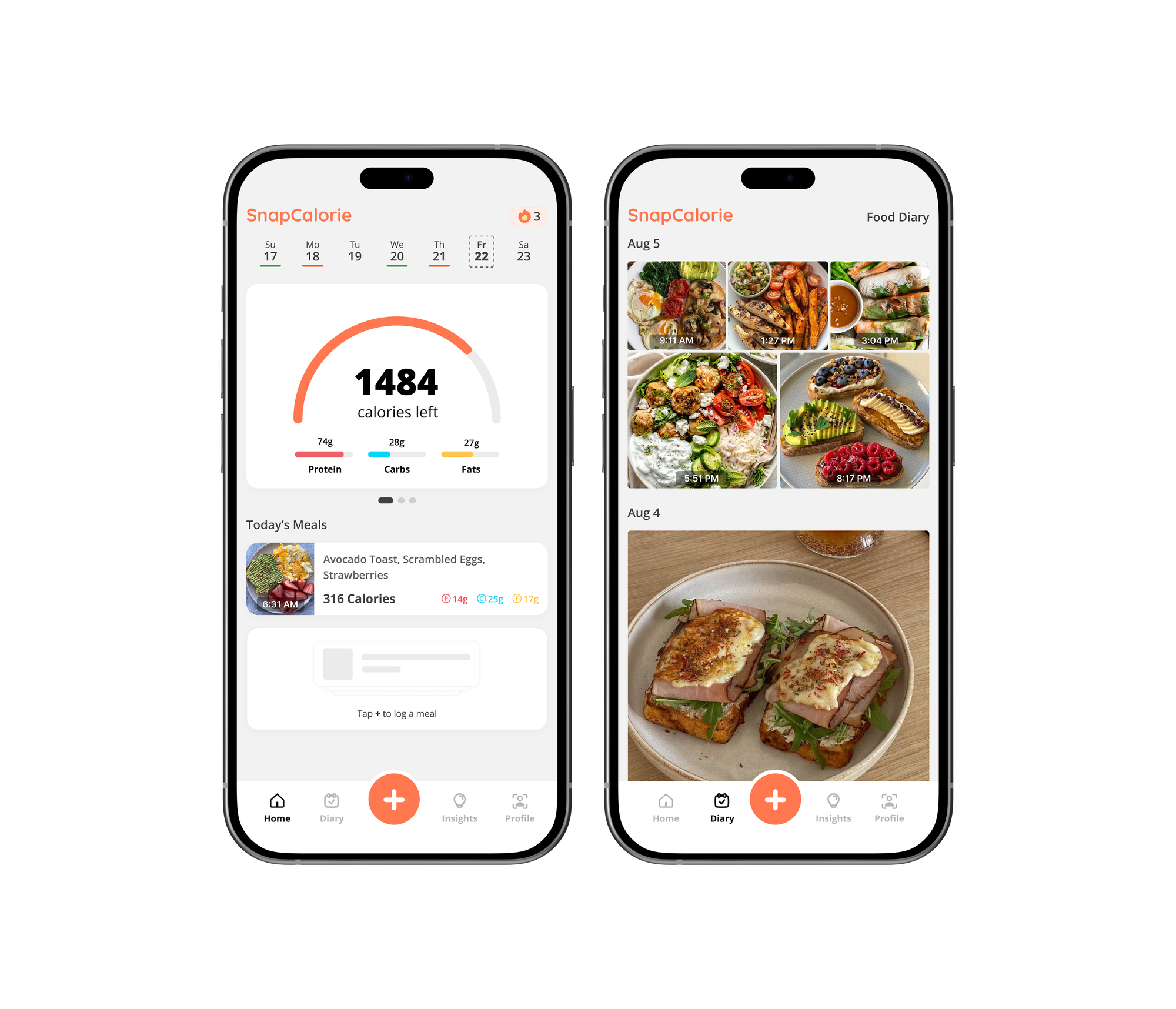
We're excited to introduce a redesigned home experience in SnapCalorie that puts your food photos front and center. This is the biggest update to our home screen since we launched, and we think you're going to love it.
What's Changing
Your New Photo-First Diary
The diary screen is now a beautiful, scrollable gallery of all your meal photos. Instead of organizing meals by breakfast, lunch, dinner, and snacks, you'll see a continuous timeline of everything you've eaten throughout the day. Each photo shows a timestamp and calorie count, making it easy to scroll through your entire food story at a glance.
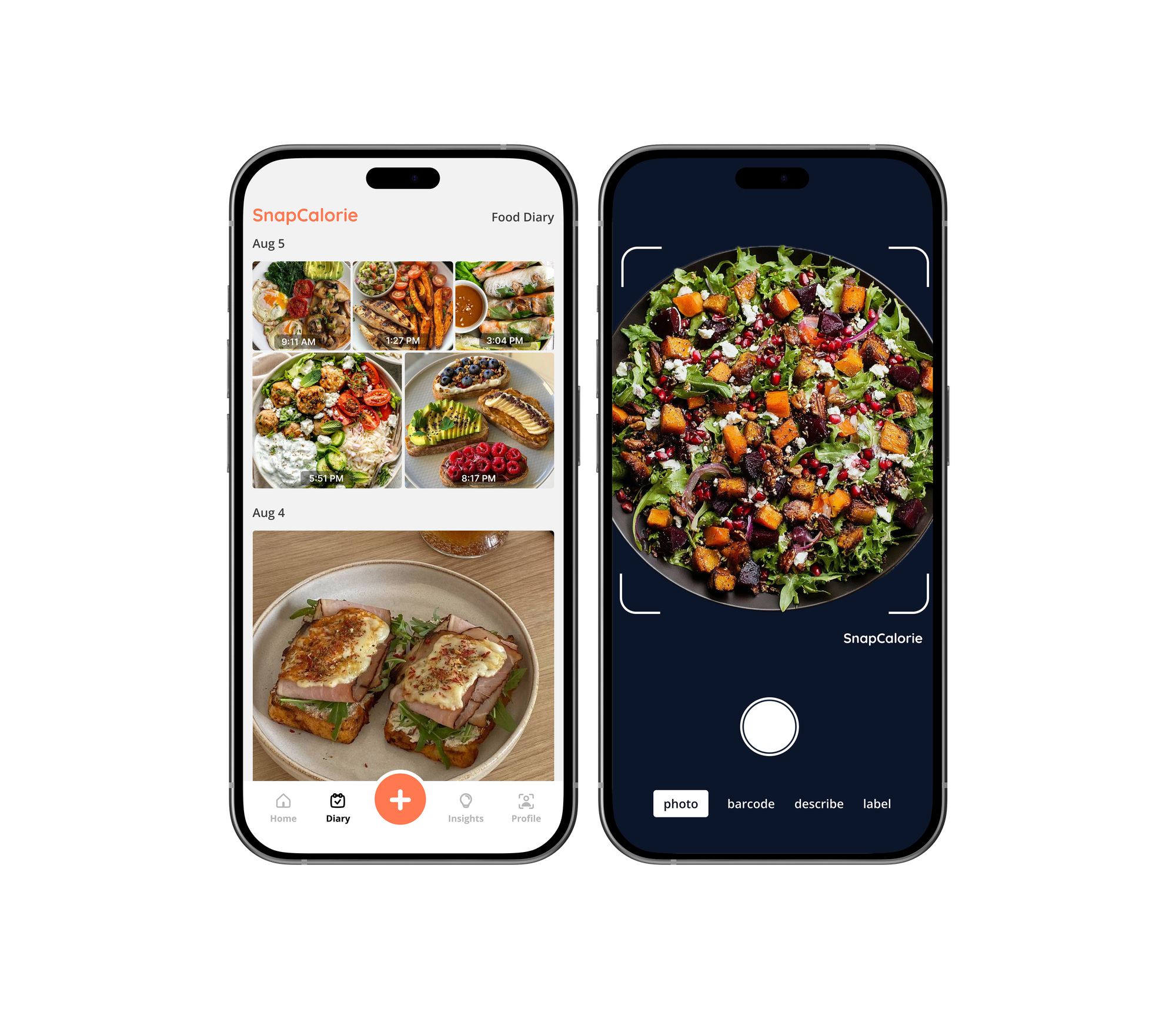
Simplified Daily View
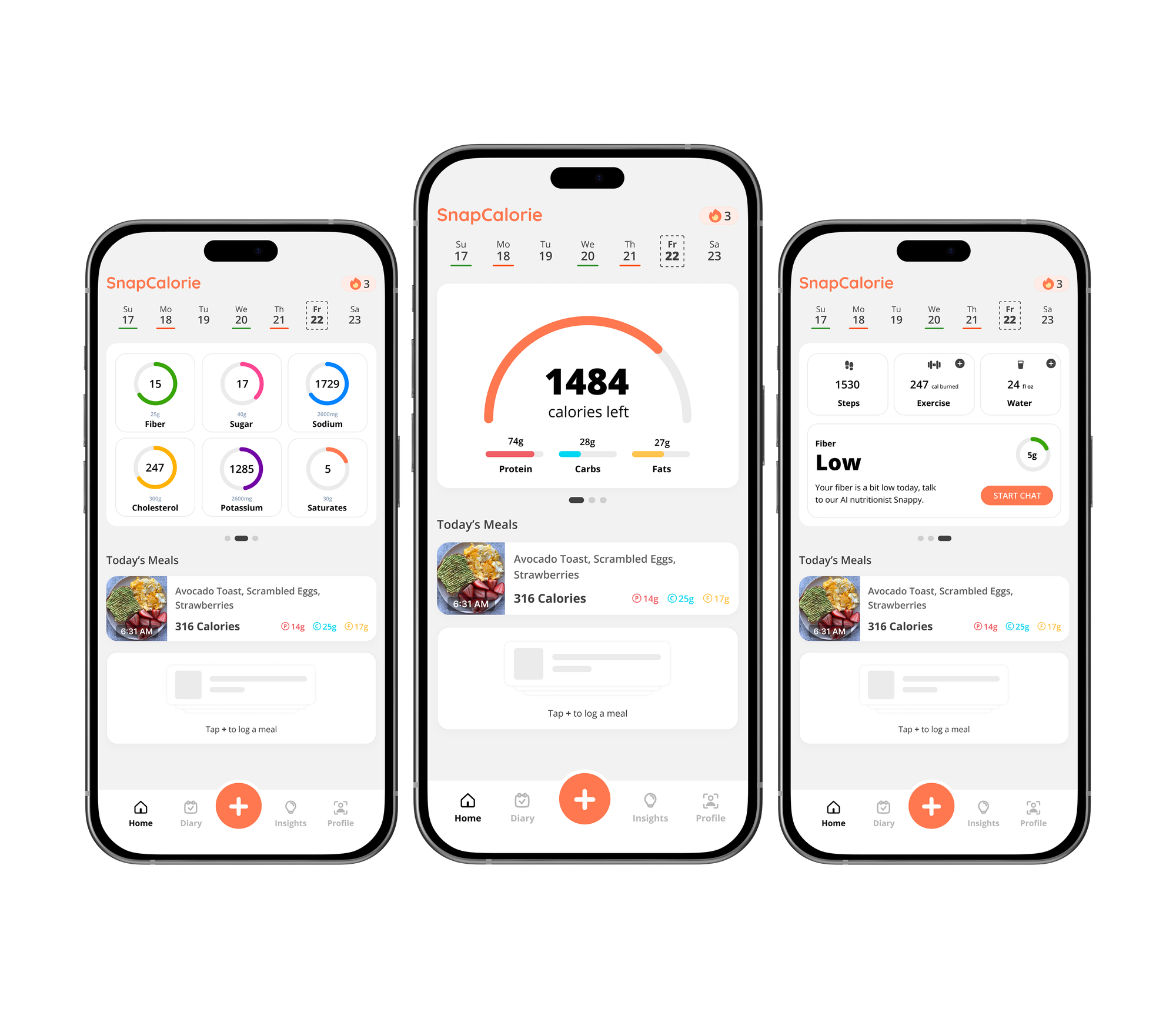
We've streamlined the day screen to focus on the essentials: your progress toward your calorie goal, your recent meals, and quick actions for logging new food. The interface is cleaner, faster to scan, and puts your photos in the spotlight where they belong.
Why We Made This Change
When we started SnapCalorie, we had a simple vision: make calorie tracking as effortless as taking a photo. But over time, our interface had accumulated features that, while useful, sometimes got in the way of that core experience.
This redesign gets back to basics. Your food photos are SnapCalorie's superpower—they're visual, they're memorable, and they tell the story of your day better than any list or spreadsheet ever could. This new layout celebrates that by making photos the star of the show.
We've also heard from many of you that the traditional meal period model (breakfast, lunch, dinner, snacks) doesn't always match how you actually eat. Some days you graze, some days you have two big meals, some days you're on a completely different schedule. The new timeline view adapts to however you eat, not the other way around.
Features Coming Soon
We're rolling out this experience in stages to get it in your hands faster. Some features from the previous design aren't available yet in the new layout, but we're bringing them back thoughtfully over the coming weeks:
- Exercise logging - Track workouts alongside your meals
- Improved water tracking - Implement better ways to track water w/ more unit options
- Daily Coaching Report - Personalized insights and feedback powered by improved SnapCalorie AI
- Alternative calorie tracker styles - Different visualization options for your daily progress
We know these features matter to your routine. We're not removing them—we're rebuilding them to work beautifully with the new photo-focused design.
Prefer the Classic Layout?
We understand that change can be disruptive, especially when you've built a routine around a particular workflow. If you'd like to keep using the current interface while we bring back all the features, you can switch back anytime:
- Open Settings
- Tap App Preferences
- Toggle Use the new Home/Diary Layout to off
You can switch back and forth as much as you like. Once we've reimplemented all the features from the classic layout in the new design, we'll transition everyone permanently to the photo-first experience.
What's Next
Over the next several weeks, we'll be rapidly adding features back to the new layout. You'll see regular updates bringing back the functionality you rely on, along with some new capabilities that are only possible with this redesigned foundation.
We're building the future of SnapCalorie based on our core belief: tracking your nutrition should be as simple as taking a photo. This redesign is a big step toward that vision, and we're excited to continue improving it with your feedback.
Questions? Thoughts? We'd love to hear from you at feedback@snapcalorie.com.
Happy tracking! 📸